
In order to reset the root password for Ubuntu 24.04.3 LTS OS, follow these steps.
Step1)
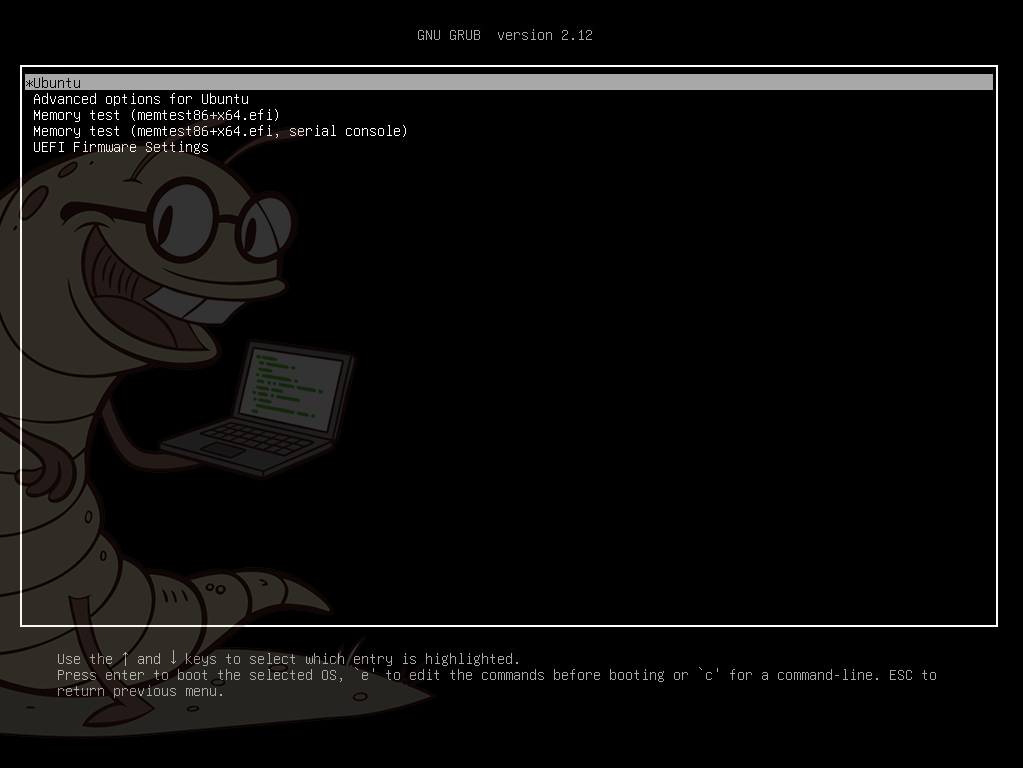
Reboot the OS and during grub boot process hold left shift on the keyboard. This will bring up the grub boot menu.
Step 2)
Highlight the selection that says “Ubuntu” and click enter.
Step 3)
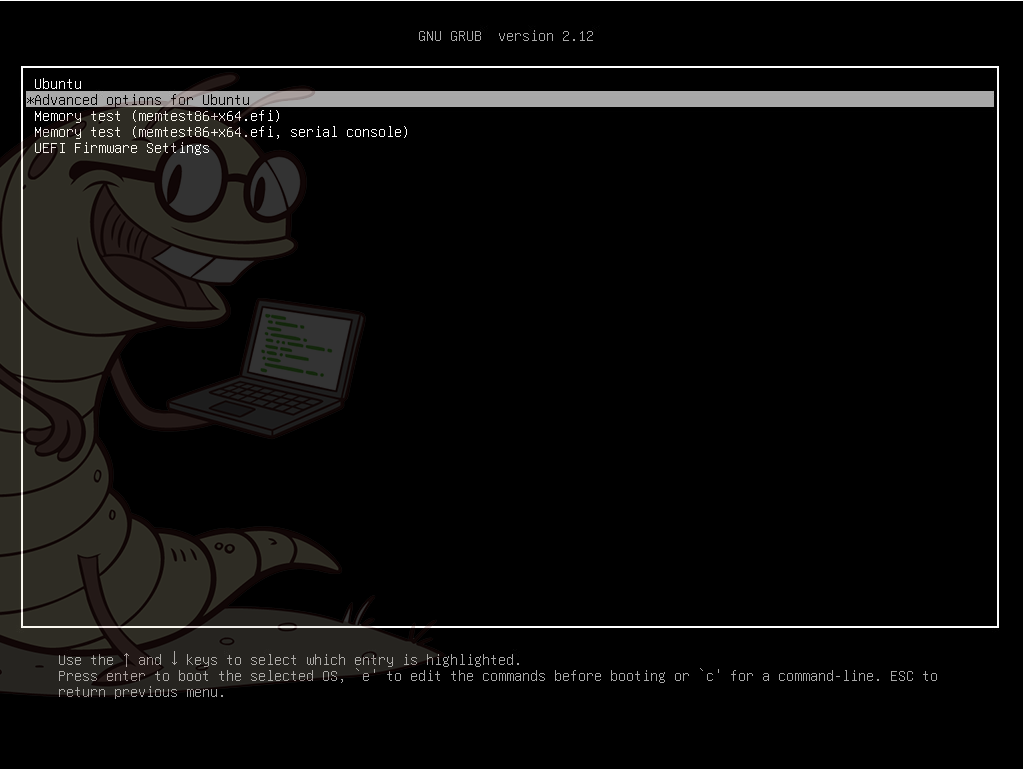
Highlight the Advanced options for Ubuntu selection and press Enter.
Step 4)
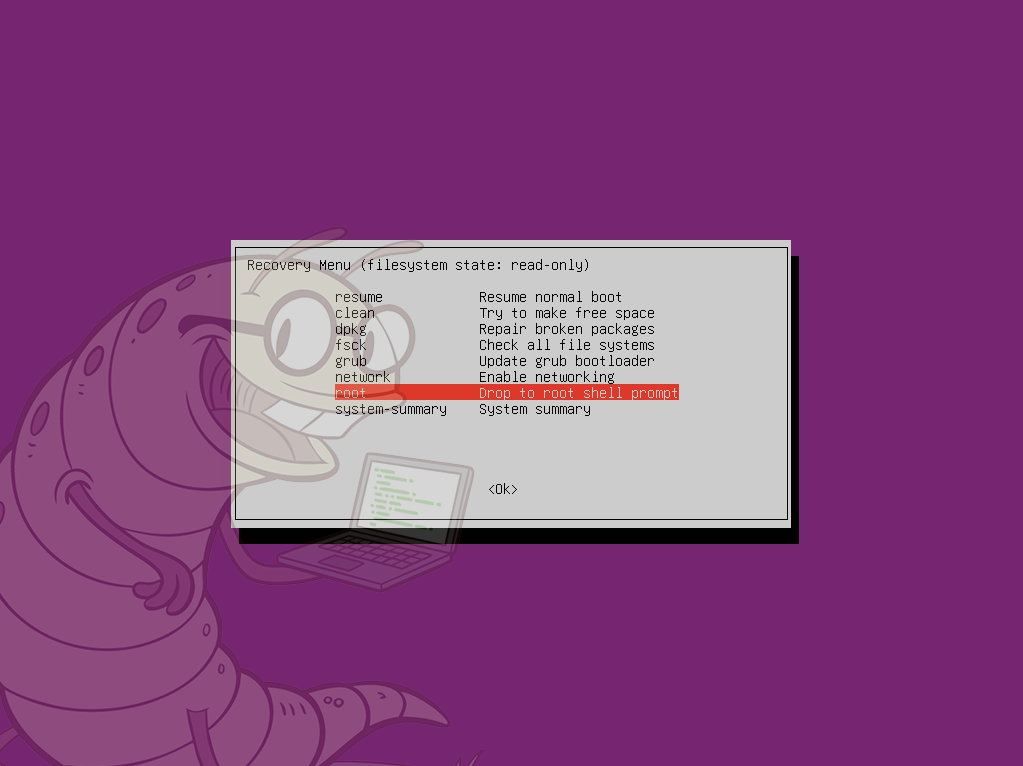
Within the Ubuntu Recovery menu, highlight the root – Drop to root shell prompt selection and click Enter.
Step 5)
Within the root shell type the following command:
mount -o remount, rw /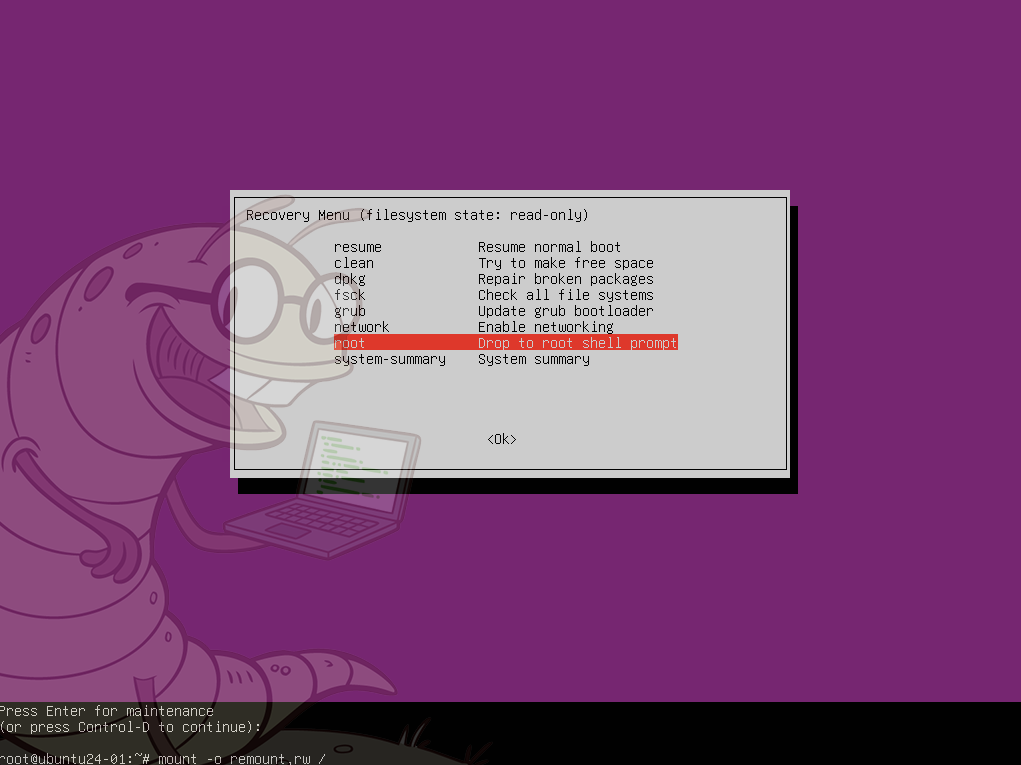
Step 6)
Within the root shell type the following command:
passwd root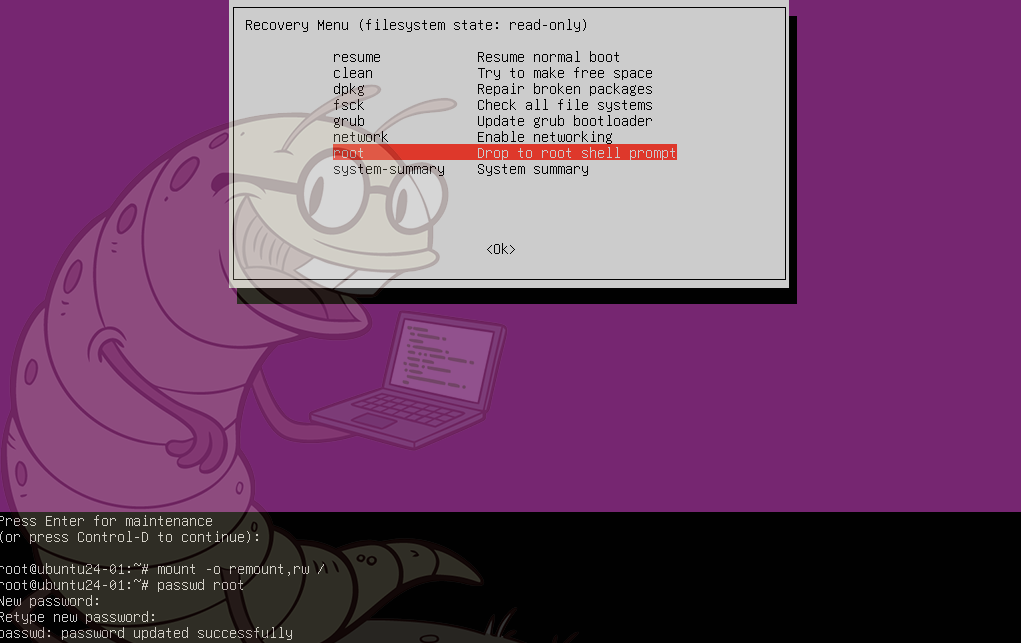
Step 7)
Within the root shell type the following command:
reboot